

Done with DIYing your own taxes? Out of patience with your out-of-touch accountant? Welcome to the end of the financial year (EOFY) with Hnry. We think you’re going to like it here.
For sole traders, the EOFY can be a stressful and confusing time. There’s a lot to do, from claiming allowable expenses, to sorting the paperwork, to accurately calculating and paying your own taxes, National Insurance contributions, and whatnot.
That’s why Hnry was created – to take the hassle out of sole trader admin. For just 1% +VAT of your self-employed income paid through Hnry, capped at £600 +VAT per year, we handle the admin that comes with EOFY and tax filing eligibility.
Here’s how it works.
We:
- Calculate and pay your taxes and National Insurance contributions as you earn throughout the financial year
- Manage your allowable expenses, passing on the tax relief in real time
- Manage your tax filing obligations where applicable, including MTD for Income Tax or Self Assessment, as well as your VAT returns, at no extra cost.
All you need to do on your end is:
- Start using Hnry (if you haven’t already) and get paid through your Hnry Account by 5 April
- You’ll also need to keep using Hnry for 90 days after you join, in order to be eligible for our tax-filing service
- Raise all 2025/26 business expenses before our deadline (Monday 20 April)
- Complete your Income Tax Return (sent out around May/June)
- Wait for filing confirmation
- If Hnry is filing your return for you, do not submit a separate return yourself, as this can cause duplication and delays
Simple, straightforward, easy.
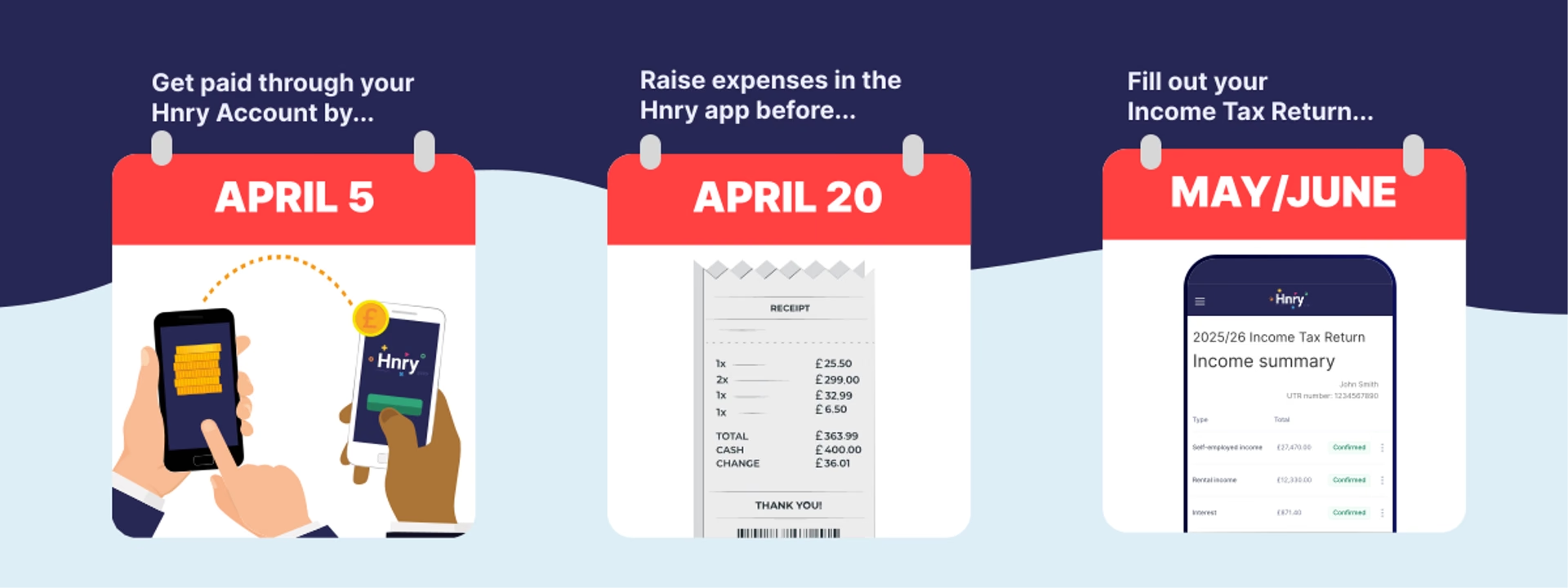
1. Start using Hnry and get paid by 5 April
In order for us to file your tax return, you actually need to be a Hnry customer!
It takes time and effort for our tax team to file tax returns, which is why it’s not a “free” service – it’s actually covered by your 1% +VAT Hnry fee.
To be eligible for us to file your return, you need to:
- Sign up for a Hnry Account
- Get paid through your Hnry Account by 5 April, and
- Continue using the Hnry service for a subsequent 90 days.
2. Raise all your business expenses
💡 The deadline for raising business expenses through the Hnry App is Monday 20 April.
Claiming allowable expenses is the easiest way to (legally!) lower your income tax bill. That being said, you can’t necessarily claim everything you buy on behalf of your business – HMRC has strict rules around what they will accept as an allowable expense.
As a general rule, you can claim a business expense as long as:
- You spent the money yourself and weren’t reimbursed.
- The expenses related directly to earning your income.
- You have a record for proof of purchase (usually a receipt).
📖 For more information on allowable expenses, check out our allowable expenses guide for sole traders.
You can raise business expenses through the Hnry app. Simply head to the Expenses tab, snap a photo of your expense receipt, enter a few details, and you’re done! Once your expense is approved, we’ll store a digital copy of the receipt for the period HMRC requires, so you usually won’t need to keep the paper copy yourself.
Better yet, you can use a Hnry Business Mastercard to purchase business expenses, and we’ll automatically raise each card transaction as an expense in the Hnry App. You just need to snap a pic of the receipt and confirm a few details. The rest is handled by us!

As you raise expenses throughout the year, we automatically calculate and adjust your effective tax rate accordingly. What this means is that you don’t have to wait until the EOFY for tax relief – we pass it on in real time!
💡 An effective tax rate is the percentage of your total income that you pay in taxes. For more information, check out our guide to tax rates.
Our deadline for raising expenses through the Hnry App is Monday 20 April. After this date, any additional expenses will have to be raised in your Income Tax Return.
📖 Confused about what you can and can’t claim? We have a guide for that.
3. Complete your Income Tax Return
💡 Your Income Tax Return will be sent out from May/June.
Your Income Tax Return contains a summary of the self-employed income earned and expenses raised through your Hnry Account for the financial year. It shouldn’t take you longer than five minutes to review.
You’ll receive a link to your Income Tax Return on your Hnry Dashboard, once it’s ready, usually around May/June. To complete your Income Tax Return, you’ll need:
- Your up-to-date contact details
- Any additional income earned this financial year not received through Hnry, for example:
- Your employee salary
- Interest and dividends
- Rental income
- Any additional business expenses you haven’t already raised
Make sure all your info is correct, review all your sources of income, and raise additional expenses if needed. You’re done!
4. Wait for filing confirmation
We have quite a few income tax returns to get through each year! With that in mind, your best bet for skipping the queue is to complete your Income Tax Return as soon as possible. We operate on a first-come-first-served basis, and the sooner you get back to us, the better.
At this point, you’ll get an email either confirming we’ve filed your return, or asking for more information if needed. Once we’ve filed your return, HMRC will process it. Processing times and any refund timing can vary. If you’re owed a refund, that’ll be paid to you directly by HMRC – it doesn’t come through Hnry.
There’s nothing we can do on our end to speed up this process. Please be patient!
5. Let Hnry file your tax return
If Hnry is filing your return on your behalf, please don’t submit a separate return yourself! Aside from potentially creating duplications and errors:
- Filing your tax return is part of your 1% Hnry fee! We want you to get the full benefit you’re paying for. It’s a no-brainer.
- The pre-filled information in your tax return may not be accurate – all your self-employed income, any interest and dividends you’ve earned, and potentially part of your salary may not have been reported to HMRC yet.
- If you get any of your info wrong and need us to refile, you may have to return some of your tax refund, or be required to pay additional tax.
All in all, it’s much simpler to leave it to Hnry. We’re experts in sole trader tax, and filing through us is a lot faster than completing and submitting your own tax return.
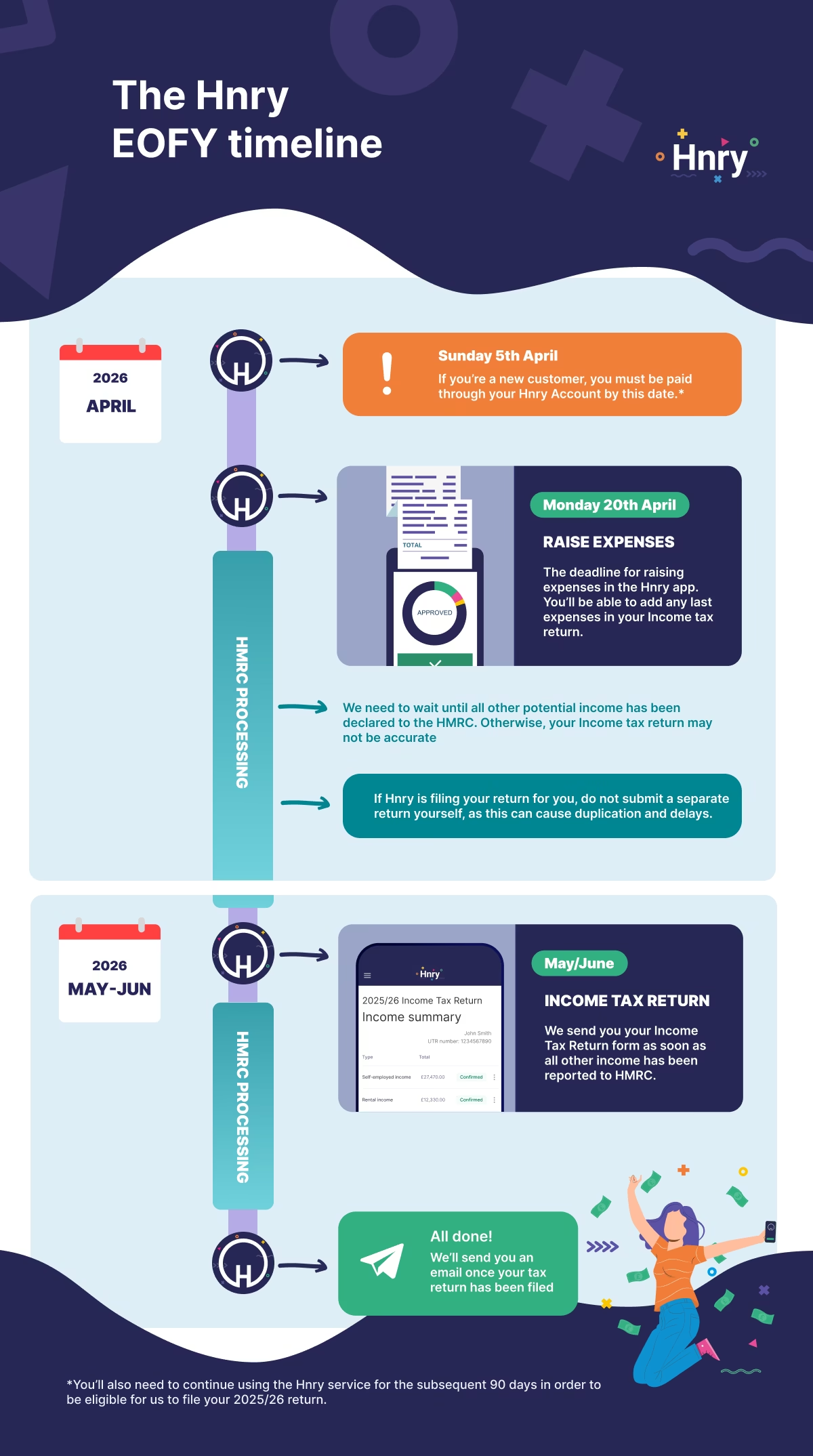
Tl;dr: the Hnry EOFY timeline
- Sunday 5 April: The 2025/26 tax year ends. If you’re a new customer, you must be paid through your Hnry Account by this date. You’ll also need to continue using the Hnry service for the subsequent 90 days in order to be eligible for us to file your 2025/26 return.
- Monday 20 April: The deadline for raising expenses in the Hnry app. You’ll be able to add any last expenses in your Income Tax Return form.
- May/June: We send you your Income Tax Return, as soon as all other income has been reported to HMRC.
- Once your return is filed: We’ll send a confirmation email of the outcome. You’re done!
After we file, HMRC will process your return. Processing and any refund timing can vary. No action needed on your end though – they’ll notify you if you’re eligible for a refund.
Congratulations on another financial year done and dusted! We know being a sole trader isn’t easy, which is why we work hard to make the EOFY as stress-free as possible. We take care of all the admin, so you can sit back, relax, and celebrate a job well done.