

Ready to switch to Hnry from QuickBooks? We’re excited to have you on board.
The good news is the process is so simple, you barely have to think about it (just like your taxes, after you join Hnry). You can also join at any point throughout the financial year. Honestly, there’s no bad news.
To make the switch, all you have to do is:
- Sign up for Hnry and complete your profile
- Upload your pre-Hnry expenses
- Upload your clients and services (optional)
- Get paid (whoo!)
That’s it, that’s literally everything. From there, you’re all set to continue growing your business – without ever thinking about tax again.
Welcome to Hnry. You’re going to love it.

Step 1: Sign up for Hnry, and complete your profile
Signing up to Hnry only takes a few minutes (whoo!).
First, you’ll need to enter your email address and create a password for your account. Then, we’ll gather a few details about you and your business. Next, we’ll need to verify your identity and your address.
Finally, we’ll pay you a pound (no, really!) to show you how the service works.
Tell us about your business
To calculate your tax rate accurately, we’ll need to know:
- Your estimated annual earnings (from all sources of income),
- If you’re not sure how much you earn annually, you can use our estimates for your worktype
- Your work type,
- If you’re VAT registered, and
- If you have a student loan.
💡 Note: If you’ve sent invoices using invoicing software prior to joining Hnry, you don’t need these invoices to be loaded into the Hnry system in order to use our service! All we need is your projected earnings for the year.
Verify your identity
We trust you, but we still need to know that you are who you say you are!
You’ll need to provide us with proof of your identity. To do this, you can use either:
- A passport
- A UK driving licence
Provide proof of address
In order to process payments on your behalf, we’ll need proof of your current address. You can do this by submitting:
From the last three months:
- A bank statement
- A letter or bill from a utility provider
From the last twelve months:
- A council tax bill
- A mortgage statement (excluding online statements)
💡 If you don’t have any of the above, please get in touch with the team by emailing support@hnry.co.uk.
Once scans of your documents have come through, our team will contact you to let you know your account is up and running.
Easy!
Earn a pound
Now you’re all signed up, we’ll even throw in a freebie – a single pound that we pay to you, so you can see how the service works.
If you click through on the payment, you’ll be able to see the deductions we’ve made on your behalf.
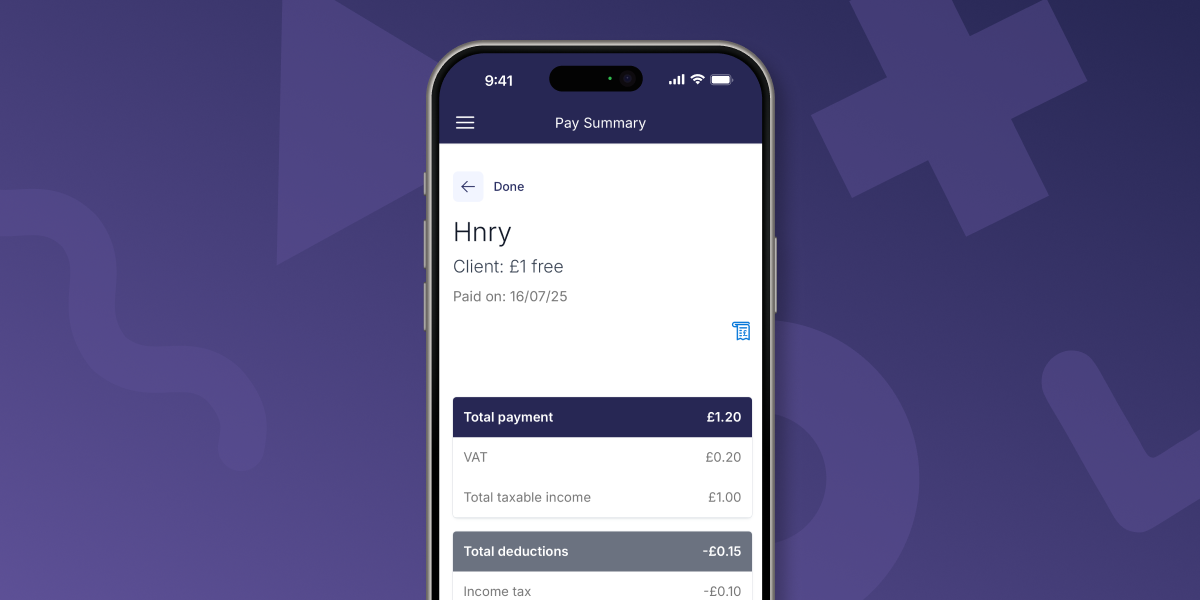
It’s a wee taster of what’s to come – self-employed income without having to do your own calculations and set money aside. Everything that lands in your personal bank account is yours to spend.
Step 2: Upload your pre-Hnry expenses
In order to maximise your tax savings, we need to be across any business expenses purchased before you join Hnry. You can do this in the Expenses tab of the app, by clicking the “Pre-Hnry Expenses” button when you first visit the page.
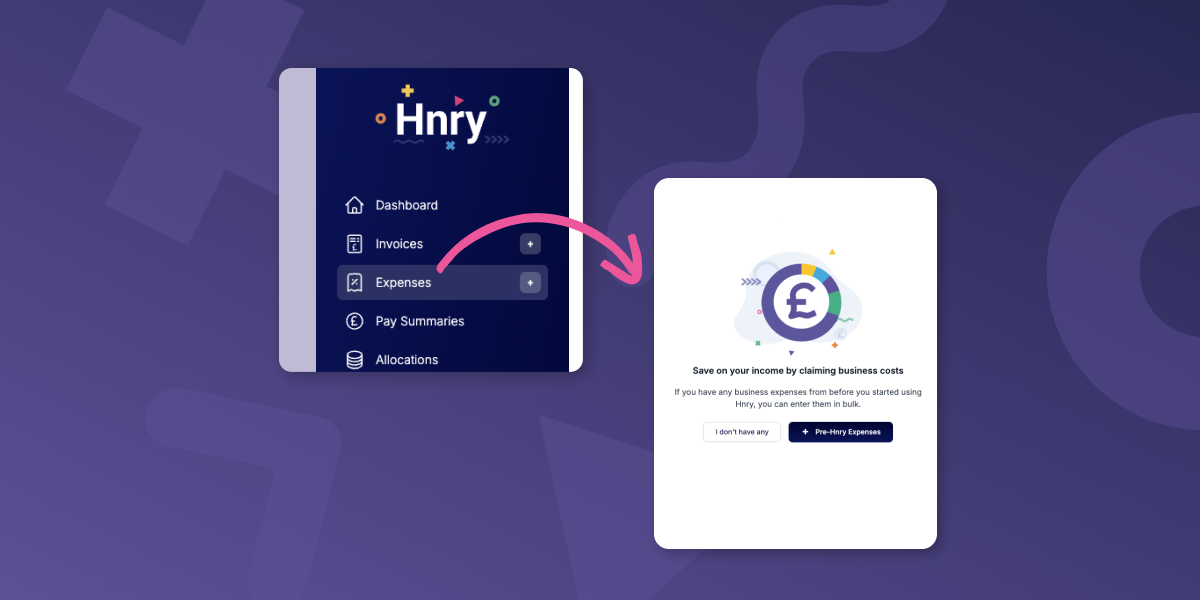
From there, all we need is the total amount you’re claiming for each expense category.
In QuickBooks, you can usually get these totals from the Reports area – for example, the Profit and Loss report (or a customised Transaction Detail by Account report) should show totals by expense category.
Step 3: Upload your clients and products/services
This step is actually optional – you can use Hnry without preemptively uploading your clients and products/services.
But if you’re after the smoothest invoicing process possible, this little step could save you time down the line!
First, you’ll need to export your clients and products/services out of QuickBooks in separate CSV files. Export your clients from “Sales → Customers”. Export your products/services from “Sales → Products and services”. Download each as a spreadsheet file, then save as CSV if needed.
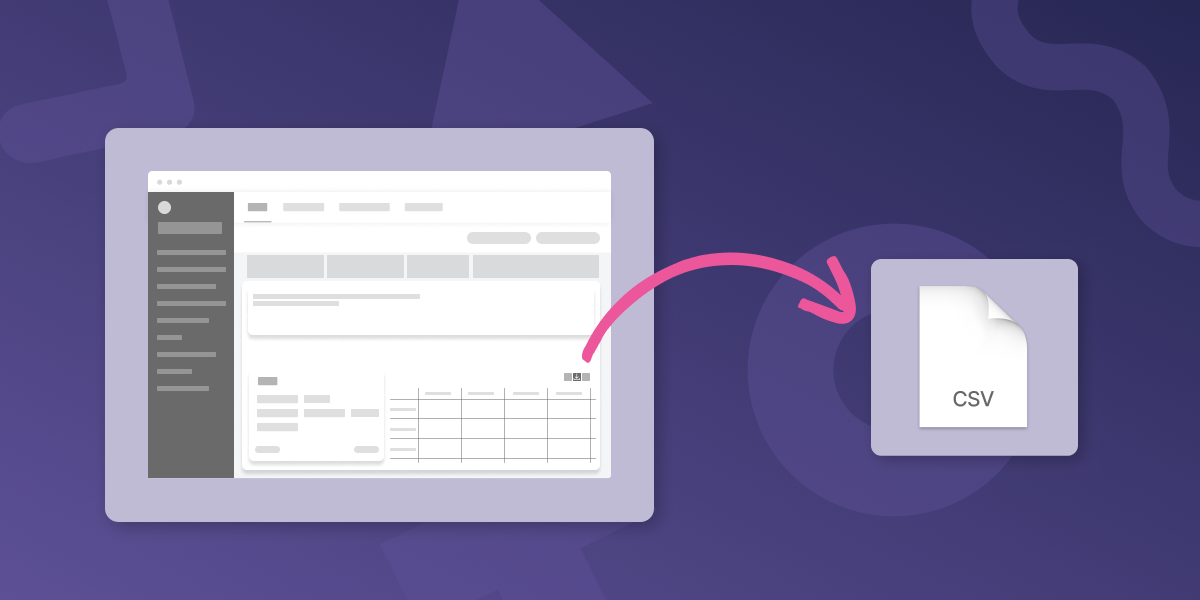
From there, you can copy the relevant information into the downloadable CSV templates within the Hnry app, from the “Clients” and “Services” tabs respectively. Using our template will make sure you have the right formatting for a clean transfer.
Upload your completed CSV template in the “Clients” or “Services” page in the app, double check everything looks right, and hit “Next”.
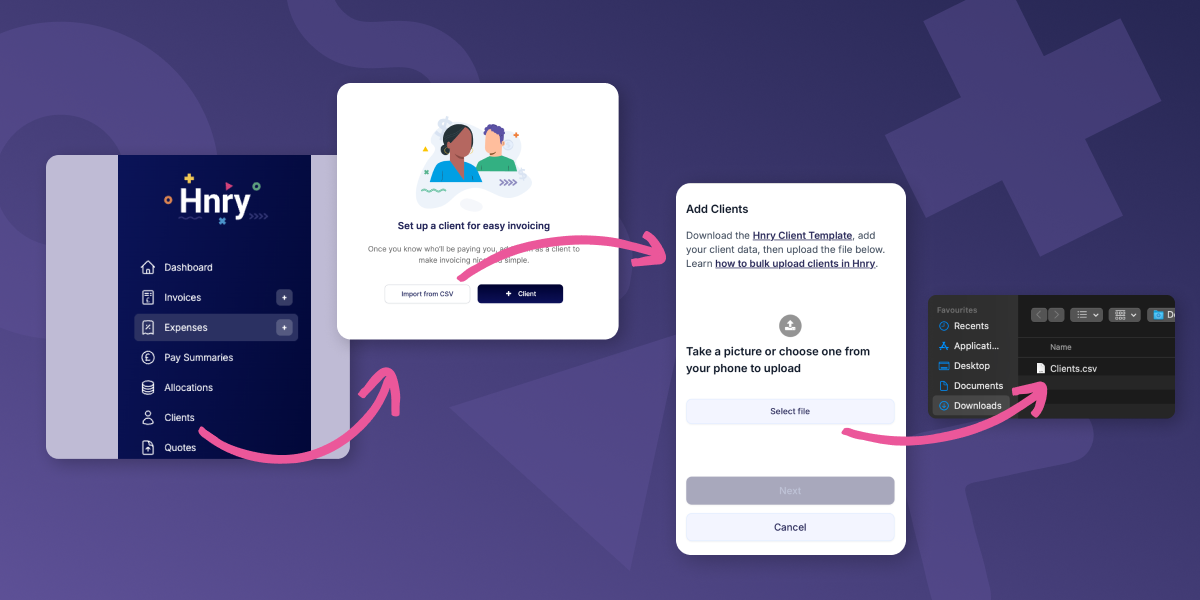
And voilà! French!
Step 4: Get paid into your Hnry Account
This part’s the real magic.
Make sure you’re paid into your Hnry Account by sending your new payment details to your clients, or invoicing them through our app. They’ll need to use the details we provide so we can match payments to your account, so make sure you give them all the info they need!
As soon as payment comes through, we’ll calculate and deduct your tax bits and bobs, and send it to HMRC on your behalf. Everything else that lands in your personal bank account is yours to spend.
Forget a separate bank account for taxes, forget the surprise tax bill – our service has you covered for all that.
That’s it! You’re all set up and ready to go.
Hnry is for sole traders
Hnry is an award-winning app and service that’s designed specifically for the needs of sole traders. And we mean all your needs. If you get stuck during the switching process, you can contact our team – we’re happy to help!